
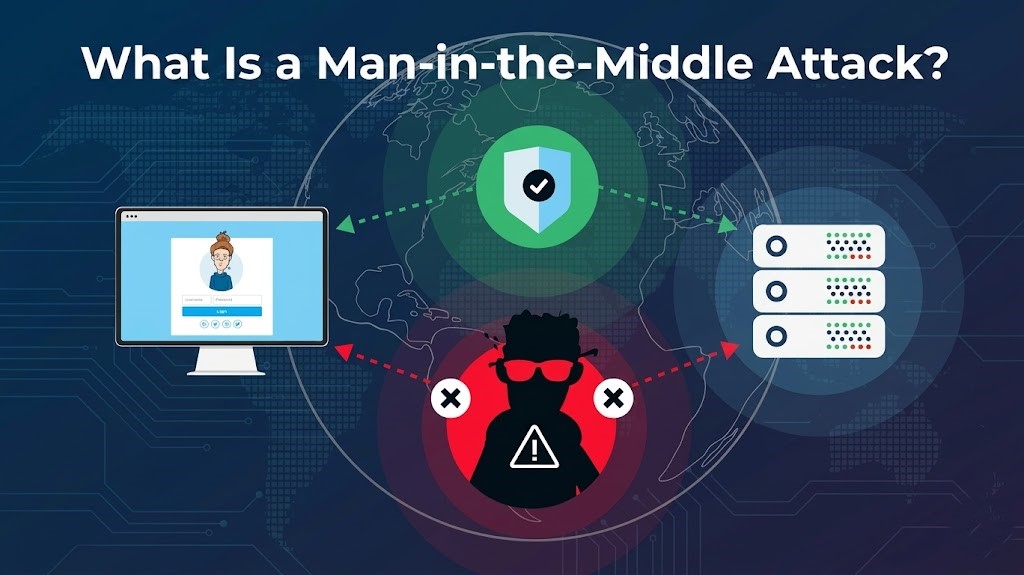

Man-in-the-middle attacks can be quite challenging to detect and protect against effectively. These attacks occur when an unauthorized individual gains control over the communication pathways between two parties, whether they are people, computers, or servers. What makes these attacks particularly insidious is that they do not always necessitate the presence of a compromised device; instead, attackers can exploit various methods to intercept and manipulate the data being exchanged.
This means there are multiple avenues through which a man-in-the-middle attack can be executed, making it crucial for individuals and organizations to remain vigilant and informed about the potential risks involved in their communications.
So, what is a man-in-the-middle attack, and how do you avoid falling victim to one?

What is the Man-in-the-Middle (MITM) Attack?
Man-in-the-middle (MITM) attacks existed before computers. This type of attack involves an attacker inserting themselves between two parties who are communicating with one another. Man-in-the-middle attacks are basically eavesdropping attacks.
Consider the two examples below to better understand man-in-the-middle attacks.
Offline Man-in-the-Middle Attack.
An offline MITM attack appears simple, but it is still used worldwide. An offline MITM attack appears simple, but it is still used worldwide.
For example, someone intercepts your mail, reads it, repackages it, and then sends it to you or the intended recipient. Then, when the person responds, the man-in-the-middle intercepts and reads your mail in both directions.
When an MITM attack is properly executed, you will be unaware that it is occurring because the interception and data theft are invisible to you.
A man-in-the-middle attack is fundamentally based on taking over a communication channel between two participants.
It also gives the attacker more options for deception. If the attacker has control over the communication channels, he or she may be able to modify messages in transit. In our example, someone intercepts and reads mail. As part of their attack, the same person may change the content of your message to ask a specific question or make a request.
The MITM can then remove any subsequent references to the question or request, leaving you in the dark.
Related: Methods Hackers Use to Break Into Bank Accounts
Online Man-in-the-Middle Attack.
An online man-in-the-middle attack works similarly, but instead of snail mail, it uses computers or other digital hardware.
One MITM attack variant involves you connecting to free public Wi-Fi in a café. Once connected, you attempt to access your bank’s website.
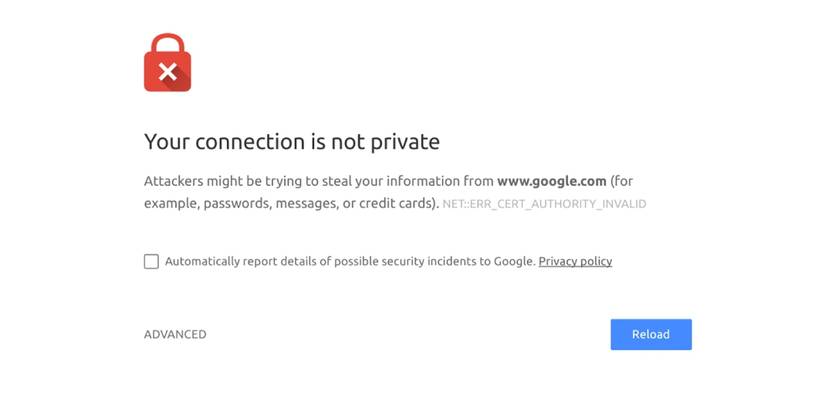
For the sake of our example, you then receive a certificate error indicating that the bank’s website lacks the necessary encryption certificate. This alerts you to the fact that something is wrong with the configuration of the bank website and that a MITM attack is underway.
Related:What Is a Website Security Certificate?
However, many people disregard this error message and proceed to the banking website. You sign into the banking portal, send some money, and pay some bills, and everything appears to be in order.
In reality, an attacker may have set up a fake server and website that looks like your bank. When you connect to the fake bank server, it retrieves the bank’s web page, modifies it slightly, and displays it to you. You enter your login information as usual, and the details are sent to the man-in-the-middle server.
The MITM server still logs you into the bank and displays the page normally. However, the attacker’s man-in-the-middle server has captured your login credentials and is ready to exploit them.
In this scenario, the encryption certificate error indicated that the website configuration was incorrect. The man-in-the-middle server does not have the same security certificate as your bank, but it may have one from somewhere else.
Types of Man-in-the-Middle Attacks:
There are several types of MITM attacks:
- An attacker can create a fake Wi-Fi access point with the same name as a nearby free Wi-Fi option. This is known as Wi-Fi Spoofing. For example, in a café, the attacker could impersonate the Wi-Fi name or create a bogus option called “Guest Wi-Fi” or something similar. Once you’ve connected to the rogue access point, the attacker can track your online activity.
- HTTPS Spoofing: The attacker deceives your browser into thinking you’re on a secure website, redirecting your traffic to an insecure one instead. When you type in your credentials, the attacker steals them.
- SSL Hijacking: If you try to connect to an insecure HTTP site, your browser may redirect you to a secure HTTPS option. However, attackers can exploit the redirect procedure by inserting a link to their server in the middle and stealing your data and any credentials you enter.
- DNS Spoofing: The Domain Name System (DNS) allows you to navigate the internet by converting the URLs in your address bar from human-readable text to computer-readable IP addresses. A DNS spoof forces your browser to visit a specific address controlled by the attacker.
- Email Hijacking: If an attacker gains access to a trusted institution’s mailbox or even an email server (such as a bank), they may intercept customer emails containing sensitive information or even begin sending emails on behalf of the institution.
These are not the only MITM attacks. There are numerous variants that combine elements of these attacks.
Related: How Carders Obtain Credit Card Information Online
Does HTTPS prevent man-in-the-middle attacks?
The scenario described above occurs on a banking website that uses HTTPS, the secure version of HTTP. As a result, the user sees a screen indicating that the encryption certificate is incorrect. Almost every website now uses HTTPS, which is represented by a padlock icon in the address bar alongside the URL.
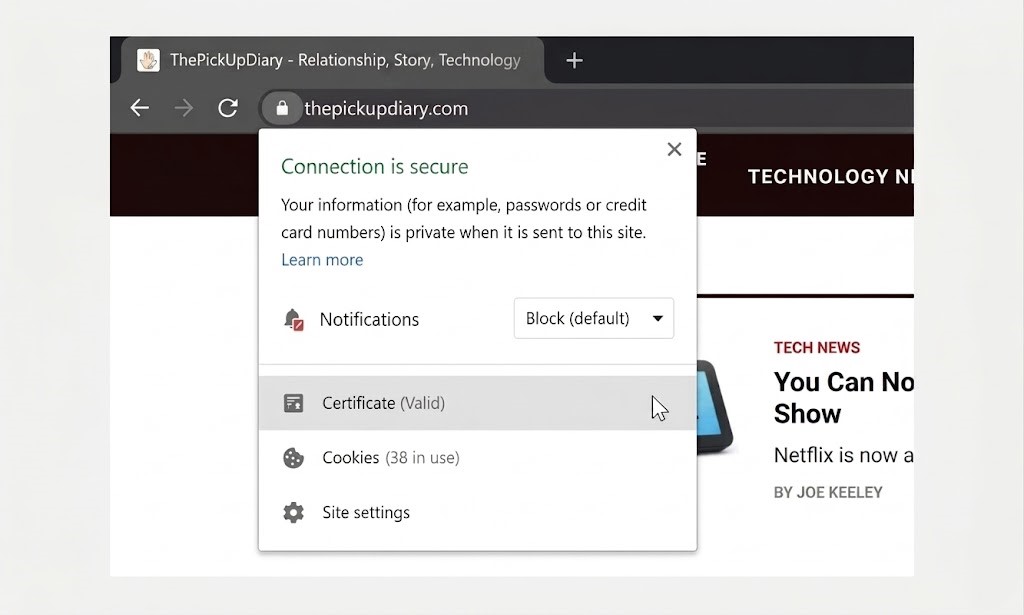
For a long time, only sites that handled sensitive data were encouraged to use HTTPS. The norm has shifted, especially since Google announced the use of HTTPS as an SEO ranking signal. When the switch was first announced in 2026, only about 1-2 percent of the world’s top one million websites used HTTP. By 2026, more than half of the top one million websites had implemented HTTPS.
In our example, a standard HTTP connection to an unencrypted website would not result in the warning. The man-in-the-middle attack would come without warning.
So, does HTTPS stop MITM attacks?
MITM, SSL Strip
HTTPS protects against man-in-the-middle attacks. However, there are ways for attackers to bypass HTTPS, removing the extra security provided by encryption.
SSLStrip is a man-in-the-middle attack that forces the browser to stay in HTTP mode rather than switching to HTTPS when available. Instead of using HTTPS, SSLStrip disables the security and leaves only HTTP.
You may not even realize something is wrong. SSLStrip claimed many victims before Google Chrome and other browsers implemented a large red cross in the address bar to indicate an insecure connection. The addition of the giant HTTPS padlock makes it easier to tell if you’re using HTTPS.
Another security update, HTTP Strict Transport Security, reduced SSLStrip’s effectiveness.
HTTP Strict Transport Security (HSTS) is intended to protect against man-in-the-middle attacks, specifically protocol downgrade attacks like SSLStrip. HSTS is a feature that allows a web server to require all users to interact with it exclusively via HTTPS.
That does not mean it always works; HSTS only configures with the user after their first visit. As a result, an attacker has only a limited window of opportunity to use an MITM attack like SSLStrip before HSTS is deployed.
That’s not all. SSLStrip’s brief demise paved the way for more modern tools that combine multiple MITM attack types into a single package.
MITM Malware
Users must also deal with malware variants that use MITM attacks or contain man-in-the-middle modules. For example, some Android malware types, such as SpyEye and ZeuS, allow an attacker to listen in on incoming and outgoing smartphone communications.
Once installed on an Android device, the malware allows an attacker to intercept any type of communication. Two-factor authentication codes are especially interesting. An attacker can request a two-factor authentication code from a secure website and intercept it before the user reacts or even realizes what’s happening.
As you might expect, desktops aren’t clear of threats, either. There are numerous malware types and exploit kits designed for man-in-the-middle attacks. And that’s without mentioning that time Lenovo installed SSLStrip-enabled malware on their laptops before shipping.
How to Protect Against a Man-in-the-Middle Attack?
The man-in-the-middle attack is difficult to defend against. An attacker has numerous options, so protecting against an MITM attack requires a multifaceted approach.
- Use HTTPS: Make sure all websites you visit use it. We’ve discussed SSLStrip and MITM malware, but having HTTPS enabled is still one of the best defense options. For an extra protection layer, consider downloading and installing the Electronic Frontier Foundation’s HTTPS Everywhere browser extension, one of the best privacy extensions for Google Chrome.
- Trust your browser’s warnings when it detects a problem with a website. A security certificate warning could mean the difference between revealing your credentials to an attacker and remaining secure.
- Don’t Use Public WiFi: Avoid using public Wi-Fi whenever possible. It is not always possible to avoid using public Wi-Fi. To ensure security when using public Wi-Fi, install a premium VPN. Also, keep an eye out for browser security warnings when using a public Wi-Fi connection. If the number of browser warnings suddenly increases, it may indicate an MITM attack or vulnerability.
- Ensure antivirus software is updated. Consider an additional security tool, such as Malwarebytes. Malwarebytes Premium is definitely worth the price.
Man-in-the-middle attacks depend on compromising your communications. If you know what to expect and know what to look for, you stand a far greater chance of avoiding MITM attacks. In turn, your data will remain secure and firmly in your grasp.
Related: How to Spot Phishing Emails: This Google Quiz Will Help You


Leave a comment