
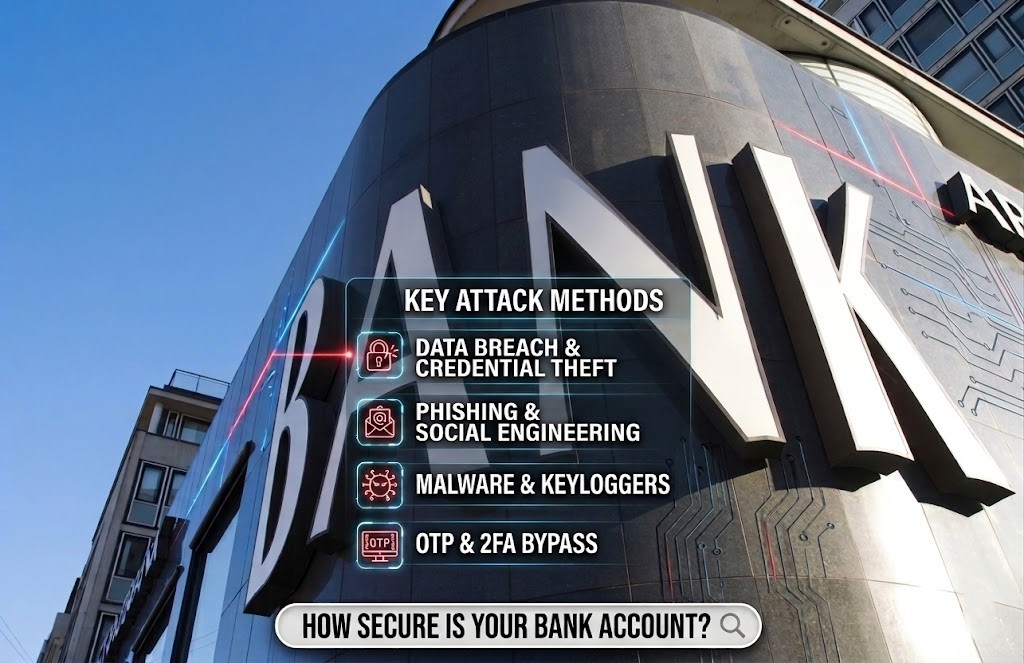

Understanding the methods hackers use to penetrate bank accounts is crucial for safeguarding your finances. By being aware of the various tactics employed by cybercriminals, you can better protect your savings from potential threats. Below are several strategies that hackers may utilize to gain unauthorized access to your financial information and drain your bank account.
Readers like you help support TECHDRIVER on ThePickupdiary (TPUD) blog. When you purchase from our shop using links on our site, we may earn an affiliate commission.
With so many users making the jump to internet banking, it’s no wonder that hackers are on the hunt for login details.

What may be surprising, however, is the lengths that these individuals will go to access your finances.
Here’s a look at how hackers target your bank account and how to stay safe
1. Mobile Banking Trojans
Today, your smartphone can do everything you need to do with your money. Most of the time, a bank will have an official app that you can log in to check your account. This is convenient, but it has become a key attack vector for malware authors.
Tricking Users With Fake Banking Apps
The most basic attack involves spoofing an existing banking application. A malware author makes a copy of a bank’s app and distributes it on third-party websites. After downloading the app, you enter your username and password into it, which are then sent to the hacker.
Replacing a Real Banking App With a Fake One
The mobile banking Trojan is a more stealthy variant. They don’t pretend to be a bank’s official app; instead, they’re usually a completely unrelated app with a Trojan built in. Once this app is installed, the Trojan begins scanning your phone for banking apps.
When the malware detects that the user is opening a banking app, it immediately displays a window that looks exactly like the one you just launched. If everything goes smoothly, the user will be unaware of the swap and will enter their information into the fake login page. These details are then transmitted to the malware author.
These Trojans typically require an SMS verification code to gain access to your account. They will frequently request permission to read SMS during the installation so that they can steal the codes as they arrive.
How to Defend Yourself From Mobile Banking Trojans
If you are downloading apps from the app store, look at how many downloads it has. If it has a very low amount of downloads and little to no reviews, it’s too early to tell if it has malware or not.
If you see an “official app” for a very popular bank with a low download count, this is doubly true. It’s probably a fake! The bank is so popular that many people should download the official app.
Also, pay attention to what permissions you give to apps. If a mobile game is requesting permissions and does not explain why it needs them, it’s best to play it safe and not let the app install. Even “innocent” services like Android Accessibility Services can be used to hack you.
Finally, avoid downloading banking apps from third-party websites, as these are more likely to contain malware. Official app stores aren’t perfect, but they’re far more secure than any random website on the internet.
2) Phishing
As people become more aware of phishing tactics, hackers have increased their efforts to trick them into clicking their links. One of their meanest tricks is breaking into lawyers’ email accounts and then sending phishing emails from a once-trusted address.
The scary part of this hack is that it would be very difficult to detect the fraud. The email address would be a real one, and the hacker might even use your first name. This is exactly how one unlucky home buyer lost £67,000, even though he replied to an email address that was once legitimate.
How to Defend Yourself From Phishing
Of course, if you see an email address that looks suspect, approach its contents with a healthy dose of skepticism. If the address looks legitimate, but something seems off, see if you can validate the email with the person sending it . Preferably not via email, though, in case the hackers have compromised the account! Here is hackers can also use phishing, among other methods, to steal your identity on social media.
3. Keyloggers
This is one of the quieter methods a hacker can use to hack a bank account. Keyloggers are a type of malware that captures what you type and sends it back to the attacker.
That may appear inconspicuous at first. But consider what would happen if you entered your bank’s web address, followed by your username and password. The hacker would have all the necessary information to break into your account!
How to defend yourself from keyloggers.
Install a reliable antivirus program and make sure it checks your system on a regular basis. A good antivirus will detect a keylogger and remove it before it can cause damage.
If your bank supports two-factor authentication, make sure to enable it. This makes a keylogger significantly less effective, as the hacker will be unable to replicate the authentication code even if they obtain your login information.
4. Man-in-Middle Attacks
Sometimes, a hacker will target the communications between you and your bank’s website in order to get your details. These attacks are called Man-in-the-Middle (MITM) attacks, and the name says it all; it’s when a hacker intercepts communications between you and a legitimate service.
Usually, an MITM attack involves monitoring an insecure server and analyzing the data that passes through. When you send your login details over this network, the hackers “sniff out” your details and steal them.
Related:
Sometimes, however, a hacker will use DNS cache poisoning to change what site you visit when you enter a URL. A poisoned DNS cache means that www.yourbankswebsite.com will instead go to a clone site owned by the hacker. This cloned site will look identical to the real thing; if you’re not careful, you’ll end up giving the fake site your login details.
How to Defend Yourself From MITM Attacks
Never perform any sensitive activities on a public or unsecured network. Err on the side of caution and use something more secure, such as your home Wi-Fi. Also, when you log into a sensitive site, always check for HTTPS in the address bar. If it’s not there, there’s a good chance you’re looking at a fake site!
If you want to perform sensitive activities over a public Wi-Fi network, why not take control of your own privacy? A VPN service encrypts your data before your computer sends it over the network. If anyone is monitoring your connection, they’ll only see unreadable encrypted packets. How hackers break into bank accounts
Picking a VPN can be difficult, so be sure to use the VPN we always recommend our readers, Pure VPN
5. SIM Swapping
SMS authentication codes are some of the biggest problems for hackers. Unfortunately, they have a way to dodge these checks, and they don’t even need your phone to do it!
To perform a SIM swap, a hacker contacts your network provider, claiming to be you. They state that they lost their phone and that they’d like a transfer of their old number (which is your current number) to their SIM card.
If they’re successful, the network provider strips your phone number from your SIM and installs it on the hacker’s SIM instead. This is achievable with a social security number, as we covered in our guide to why 2FA and SMS verification isn’t 100% secure.
Once they have your number on their SIM card, they can circumvent SMS codes easily. When they log into your bank account, the bank sends an SMS verification code to their phone rather than yours. They can then log in to your account unimpeded and take the money.
How to Defend Yourself From SIM Swapping
Of course, mobile networks typically ask questions to check if the person requesting the transfer is who they say they are. As such, to perform a SIM swap, scammers typically harvest your personal information in order to pass the checks.
How hackers break into bank accounts
Even then, some network providers have lax checks for SIM transfers, which have allowed hackers to easily perform this trick.
Always keep your personal details private to avoid someone stealing your identity. Also, it’s worth checking if your mobile provider is doing their part to defend you from SIM swapping.
If you keep your details safe and your network provider is diligent, a hacker will fail the identification check when they try to SIM swap.
Keeping Your Finances Safe Online
Internet banking is convenient for both customers and hackers alike. Thankfully, you can do your part to ensure you’re not a victim of these attacks (how hackers break into bank accounts). By keeping your details safe, you’ll give hackers very little to work with when they take aim at your savings.
Now that you know the tricky tactics hackers use to crack open your bank account, why not take your banking security to the next level? From changing your password frequently to just checking your statement every month, there are plenty of ways you can keep your finances secure from hackers.


Leave a comment