
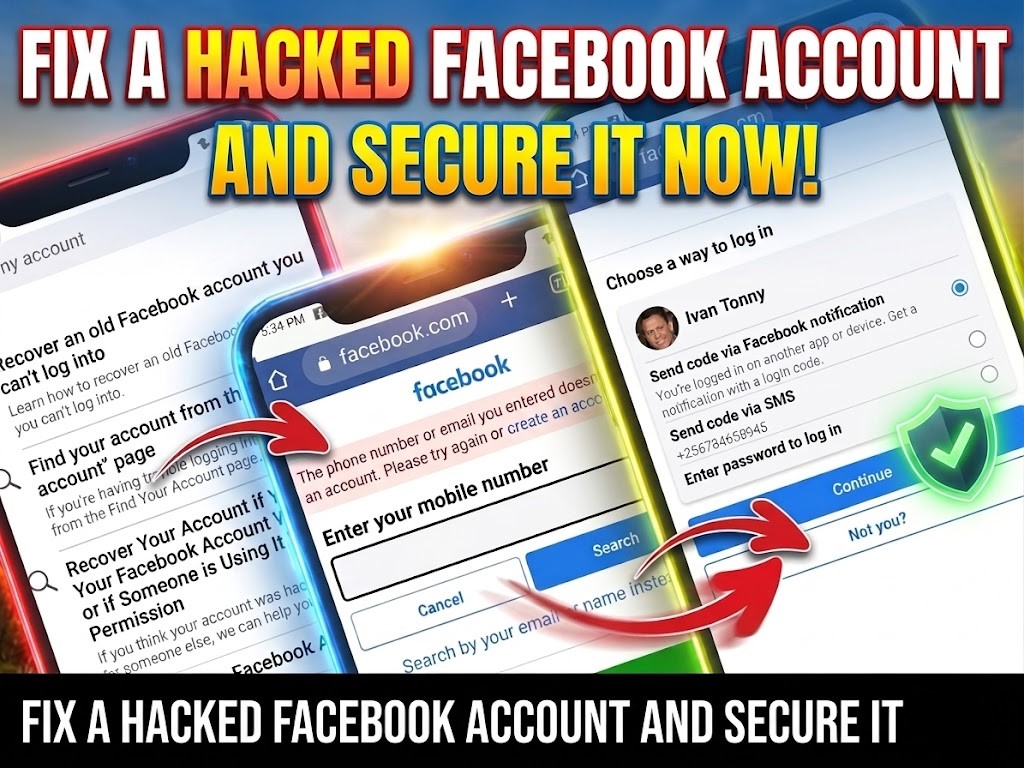

It’s not fun to log into your Facebook account and discover that someone hacked it. But it does happen, and the damage done can be a big deal to you and your friends and family.
Fortunately, there are a few things that you can do to confirm your Facebook account was hacked and how to go about doing so. Fortunately, there are a few things that you can do that will confirm that your Facebook account was hacked and how to go about it.
How to Tell If Your Facebook Account Has Been Hacked
Facebook hacks have gotten more complex over the years. It started with spam links on your friends’ walls. Now, Facebook hackers could send messages with links to your friends, hoping that they click on it and give their account info too.

Another common Facebook scam is your account posting really cheap items on the Facebook Marketplace or posting in groups asking people to answer a riddle.
Your hacked Facebook account may also change your profile information or even your email address and password. These are all bad scenarios. These are things you want to avoid.
There are two main ways to check if your Facebook account has been hacked: check your login locations and check your payment history.
How to See Your Facebook Login Locations
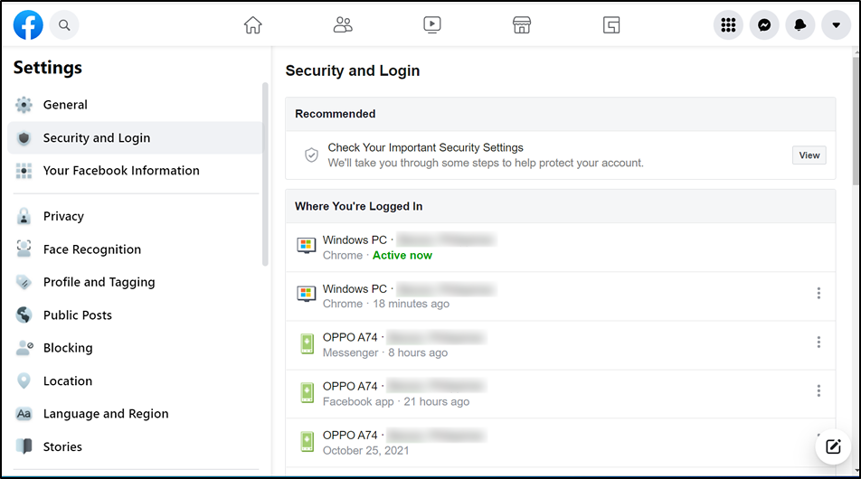
But thankfully, there’s an easy way to find out if someone else has logged into your Facebook account.
Settings and Privacy > Activity Log > Active Sessions. The section will show where you’ve logged in, and with what devices you’ve signed in with.
Remember: If a hacker has changed your password, you need to act fast to recover your Facebook account.
If you do find a mismatch with where you have logged in to Facebook, you can easily terminate the activity of that session, which should help safeguard you from any hacking attempt on that device. You can also log out of all sessions, just to be safe.
How to See Payment History on Facebook
Another way to check if someone has hacked your Facebook account is by checking your purchase history. If you have a credit card on file with your account, hackers could make fraudulent purchases and run up your bill.
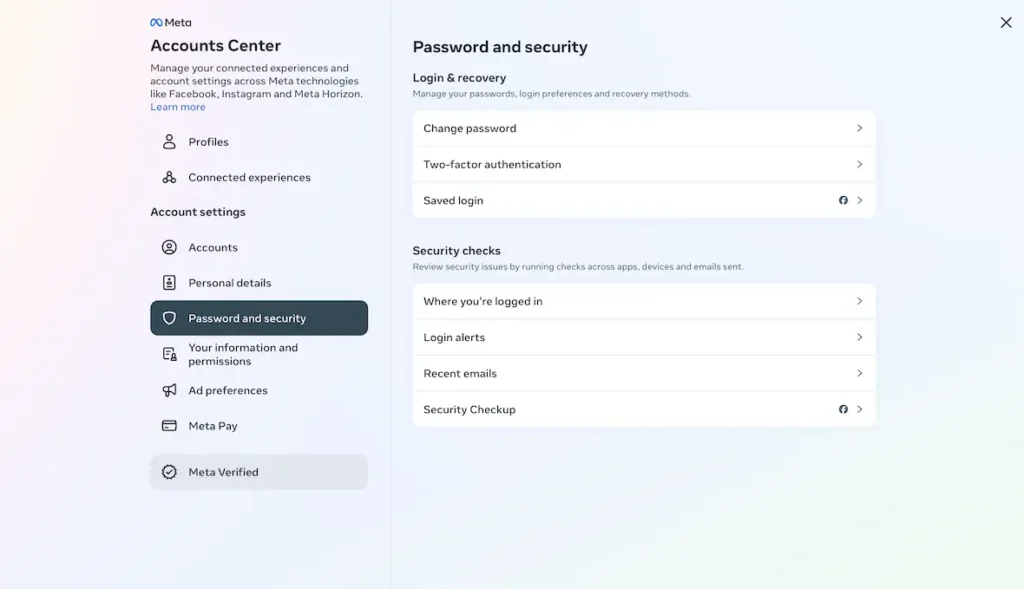
To keep you protected, go to Settings and Privacy > Settings > Account Center > Payments. Here you can see if someone bought ads with your account or used Meta Pay.
If you see any fraudulent charges, you can report this to Facebook Support. The company is pretty good at getting back to people with concerns, either on its Facebook page or its official Twitter account.
How to Report a Hacked Facebook Account
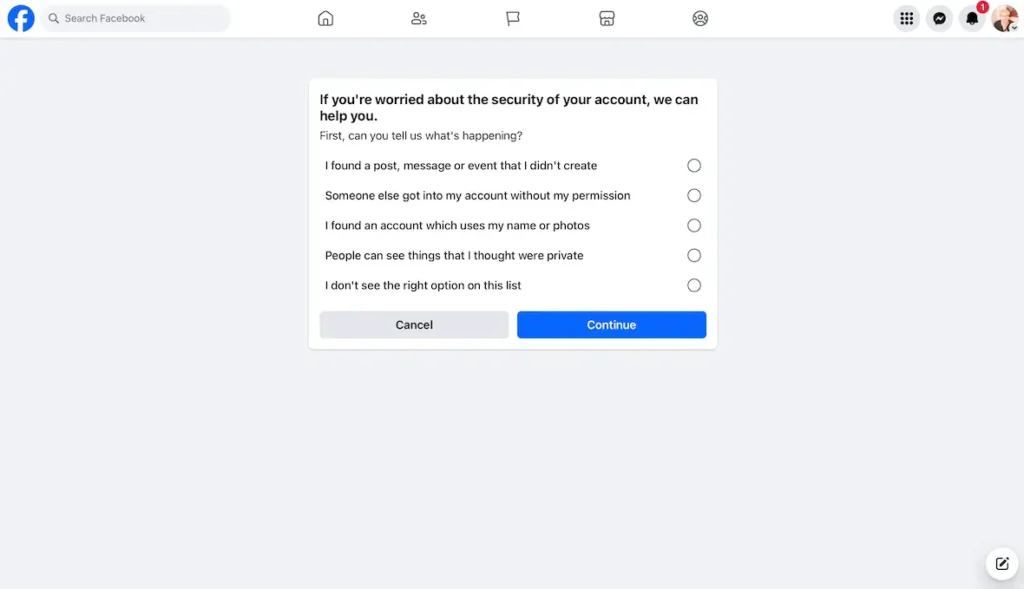
If you have any hacking problems at all, you should inform Facebook. Facebook wants to hear about hacks and wants to do its part to keep the site as safe and secure as possible.” Facebook is always changing and improving its security.
There is a Facebook page for people who think their account may have been hacked. Check out this page on facebook.com/hacked. Here you can report people who send messages from your account, duplicate accounts, or a possible hack attempt.
You might like to look into the Bullying Center, Safety Check, and Safety Center pages if you have additional problems with your Facebook account and/or security.
How to Resolve a Facebook Account Hack
Don’t worry if your Facebook account has been compromised. The problem can be fixed.
To reduce the harm, you ought to:
- Modify your password on Facebook.
- Eliminate any dubious third-party apps.
- Notify your loved ones as soon as you can.
- Use Facebook’s official channels to report the problem.
If you need more detailed guidance, here’s a full guide on Notorious Ways Hackers Steal Your Identity on Social Media
How to Safeguard Your Facebook Account Going Forward
It’s best to understand how to stop potential hackers from accessing your Facebook account before we begin fixing it. Increasing your privacy, avoiding spam, and creating a stronger password are just a few ways to protect your Facebook account.
Make Use of a Robust Password
You must create a password that is both memorable and impervious to brute force attacks. In addition to being practical, enabling fingerprint access is a good security recommendation.
There are a few more sophisticated options you should think about after you’ve taken care of the fundamentals. You can enable email or login alerts by going to Settings and Privacy > Settings > Account Center > Password and Security > Login Alerts.
You can also configure two-factor authentication under the security settings. This is another effective deterrent to take into account because it necessitates entering a security code when logging in from an unknown device or browser. Just remember to update this with your current phone number.
Be Careful When Using Facebook
Additionally, you should consider the precautions you can take to keep hackers out of your Facebook account.
Clickbait links, for instance, should be avoided. Although it may seem straightforward, there are many instances of people clicking on Facebook spam, which leads to malware or phishing websites. Keep it from happening to you. Steer clear of spam links, which might even show up in your Messenger inbox.
Additionally, since this is another prevalent hack, you should steer clear of any messages purporting to be from friends attempting to fix their accounts. Here, a hacker poses as a friend to send you a link that ultimately steals your personal data. Additionally, you should refrain from giving anyone a one-time PIN (OTP) or Facebook text message code.
Additionally, you should stay away from phony websites that mimic Facebook and have the potential to steal your private data. Your Facebook account will be hacked in a matter of seconds if you enter your login credentials on such a website.
Related: Best Top 10 Dark Web Browsers
Modify the Privacy Settings on Facebook
Increasing the privacy settings on your profile page, images, posts, and tags is another action you can take.
Your privacy on the platform is enhanced when these things are hidden from public view. By doing this, you can make sure that certain individuals see your information rather than your entire list or, worse, the entire internet.
Protect Your Security and Privacy on Facebook
With any luck, you now know how to determine whether your Facebook account has been compromised and what steps to take.
And keep in mind that Facebook provides numerous ways to protect your account, even though nothing is ever completely secure. By doing this, hackers will find it more difficult to access your data or personal information. You can make sure you’re as safe as possible by taking the appropriate security measures.


Leave a comment